Free softball scorekeeper for fastpitch and slow pitch
Score fastpitch or slow pitch softball online with a classic diamond scorecard. For slow pitch, choose an optional Short Fielder for ten-player defense and add multiple Extra Hitters to either batting order. Track stats, save games, and print scorecards on your tablet, phone, or laptop — no account or install required.
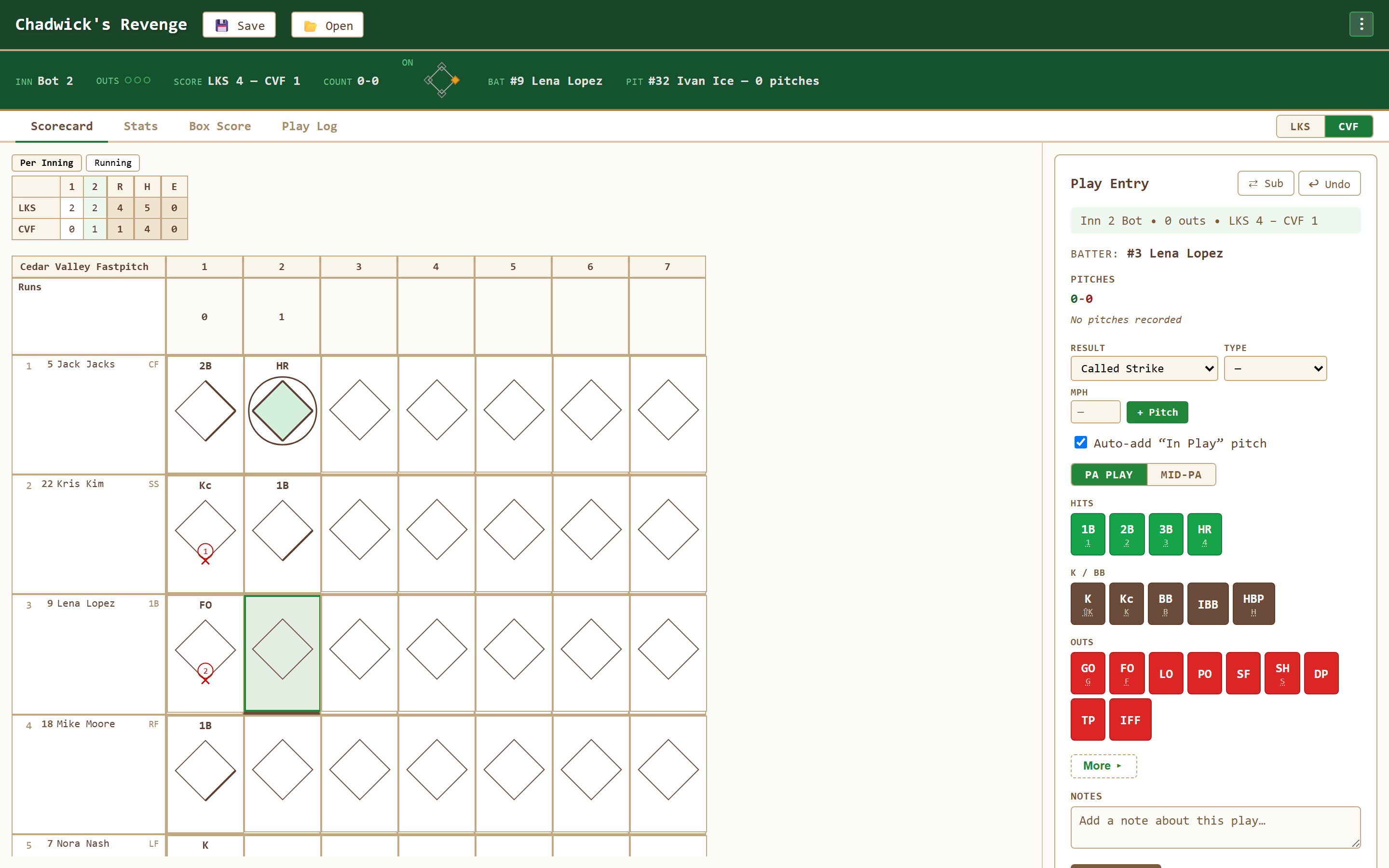
Made for the way softball is played
Choose Softball, set the scheduled innings and DH rule, and enable the lineup options your league uses. Short Fielder and Extra Hitters are separate choices, both off by default.
For league-specific settings, select Custom in Game Type. Set run limits and a mercy rule, choose a 1–1 starting count and two-strike foul policy, and save the choices as a league preset. See the custom league setup guide.
Softball game type
Start with seven scheduled innings, adjust the innings and DH rule, and choose whether to use a designated runner in extra innings.
Optional Short Fielder
Add a tenth defender who also bats. Record the Short Fielder's putouts, assists, and errors with position 10 in fielding notation.
Multiple Extra Hitters
Add batting-only players to either team, then drag players into batting order. Each team can use a different number of Extra Hitters.
Classic diamond scorecard
Traditional notation with full runner paths — your softball scorebook reads just like paper.
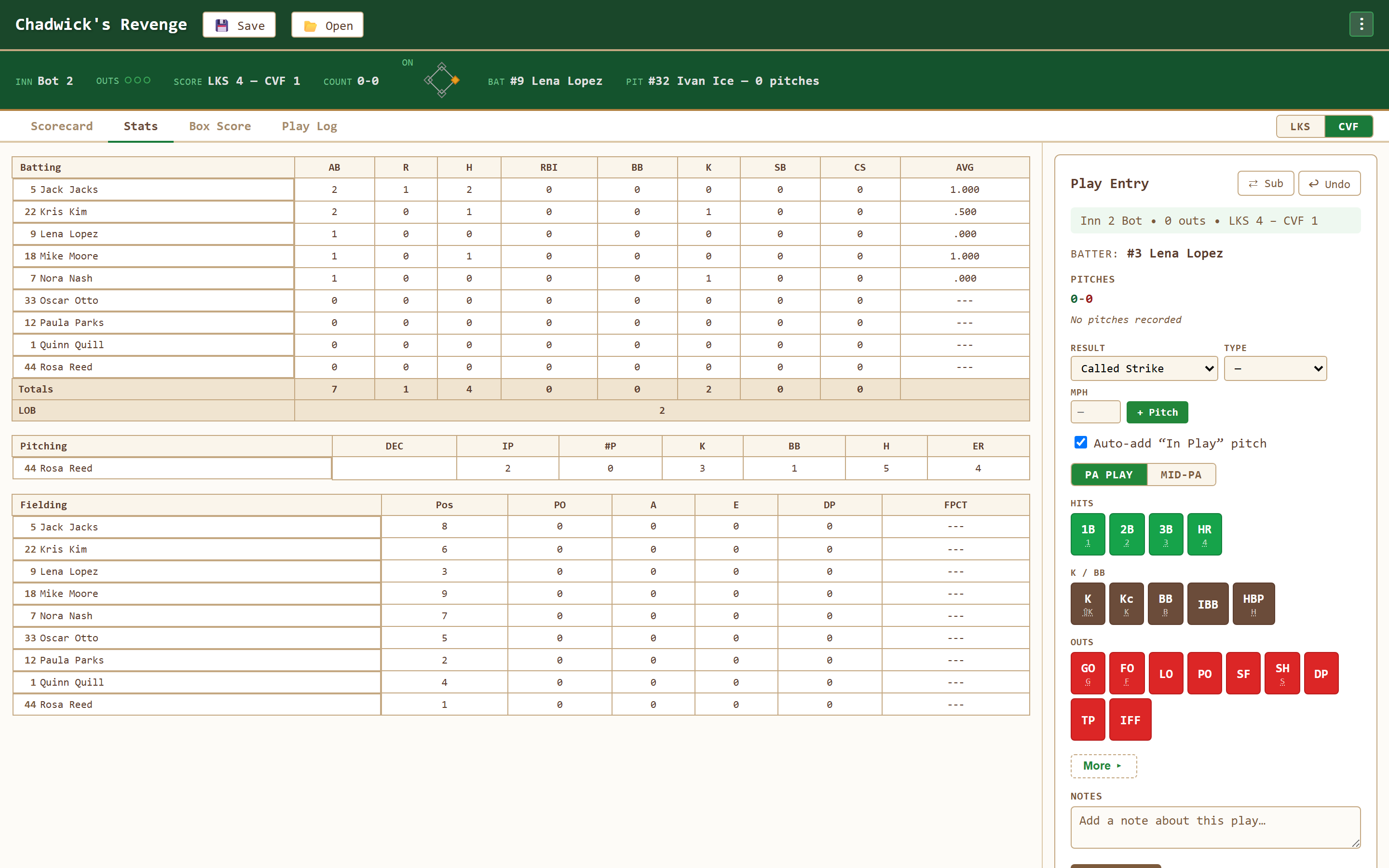
Automatic stats
Batting average, RBIs, runs, and fielding are computed from your entries as the game unfolds.
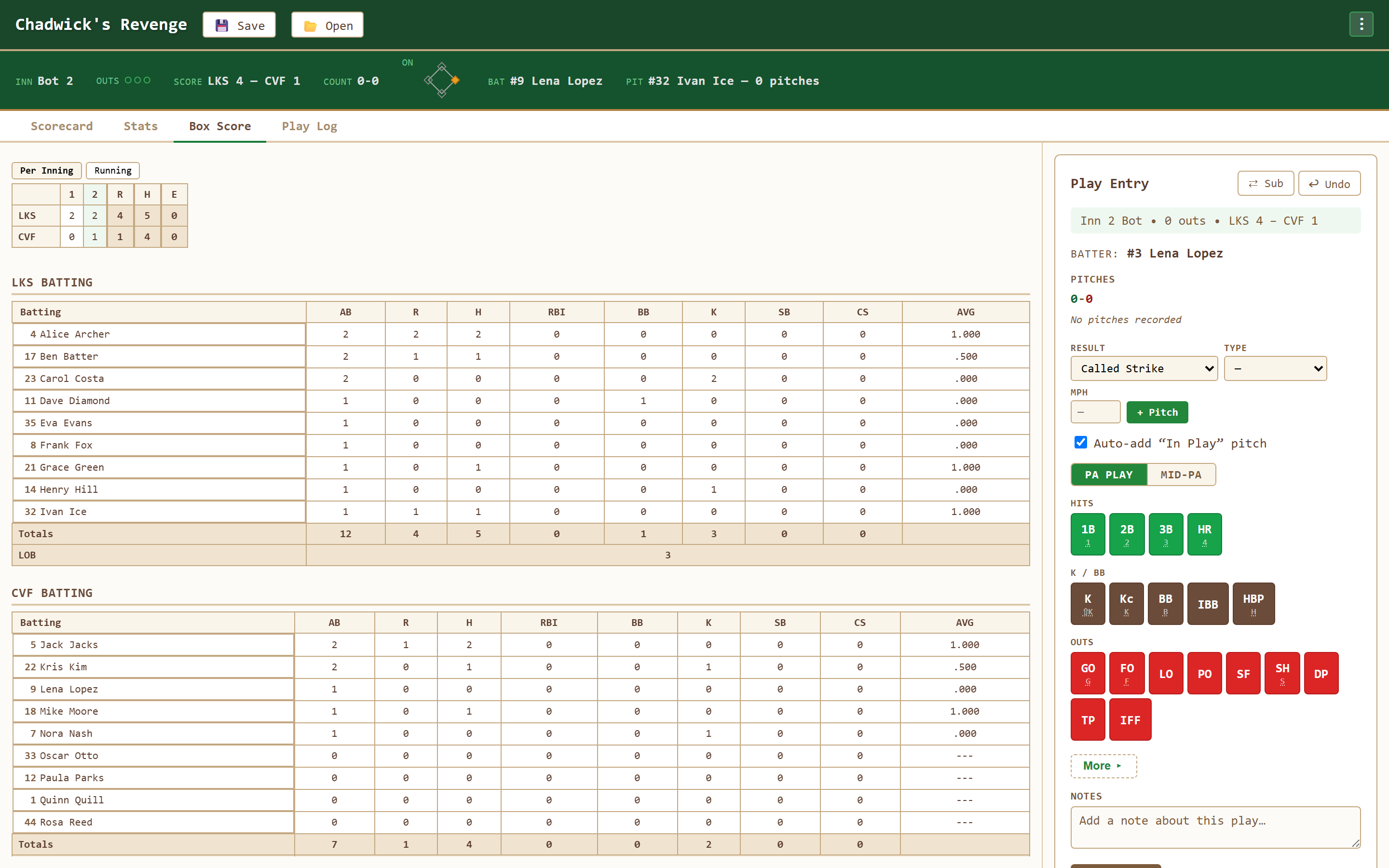
Complete box score
Generate a clean box score and line score to share with your team the moment the game ends.
Tablet-first design
Large buttons and a stands-friendly layout make scoring a doubleheader easy on a tablet.
Works offline
Runs without a connection once loaded — perfect for tournament fields with weak signal.
Your softball stats, kept for you
Score the plays and the app assembles the batting, pitching, and fielding lines plus a full box score — no spreadsheets required.
Softball scorekeeping questions
Can I save custom league rules?
Yes. Select Custom in the Game Type dropdown to choose innings, DH, Short Fielder, Extra Hitters, run limits, open innings, a mercy rule, runners, starter re-entry, starting counts, and two-strike foul rules. Save a named preset on this device for future games. Existing games keep their own rules; the Rules view, live viewers, and printed scorecards show that snapshot.
Does it support slow pitch softball?
Yes. Choose Softball in Game Configuration, then enable Allow Short Fielder (SF), Allow Extra Hitters (EH), or both. Both options default to off. Short Fielder adds a tenth defensive player; Extra Hitters lets each team add multiple batting-only players with Add Extra Hitter during lineup setup.
What is the difference between a Short Fielder and an Extra Hitter?
A Short Fielder (SF) bats and plays defense as the tenth fielder. An Extra Hitter (EH) has a place in the batting order without a defensive position. You can enable either option independently and use different numbers of Extra Hitters on the two teams.
Does it work for softball?
Yes. Choose Softball to score fastpitch or slow pitch. Set your scheduled innings and DH rule, then choose any optional Short Fielder and Extra Hitter support your game needs.
Can I score softball on a tablet or phone?
Absolutely. The interface is tablet-first with large touch targets and runs in any mobile or desktop browser — no install needed.
Is it free?
Yes, completely free with no account required.
New to keeping score?
Read our slow pitch lineup setup guide for SF and EH instructions and scoring examples, or browse the full FAQ.
Can I correct a play after I have recorded it?
Yes. Undo reverses the last play, and tapping any cell on the scorecard reopens that plate appearance to re-enter it. Batting, pitching and fielding lines all recompute from the fix.
Ready to score your softball game?
Open Chadwick's Revenge, pick softball, and keep a full scorebook — free and in your browser.
Open the Scorekeeper